vocab-harvester-agent
German Vocab Harvester
https://github.com/user-attachments/assets/274b091f-10c9-42a1-8966-9f9636c5dfdd
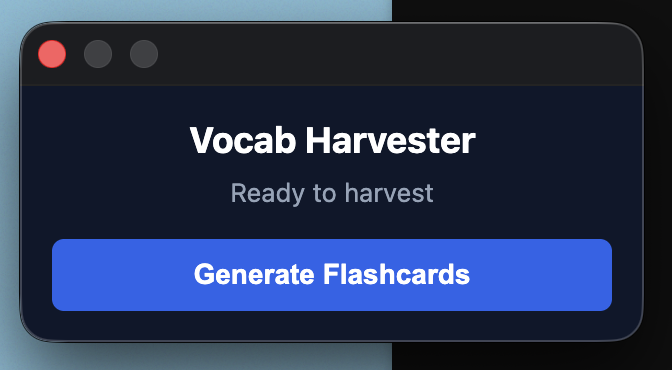
An open-source Chrome Extension that instantly extracts A2-level German vocabulary from any webpage and syncs it directly to your local Anki database using AI.
The Problem It Solves
Reading native German news or articles is essential for language acquisition, but manually looking up words, finding example sentences, and creating Anki cards breaks your reading flow.
Vocab Harvester automates this pipeline. With a single click, it:
- Scrapes the readable text from your current browser tab.
- Uses a cloud LLM (Groq API / Llama 3) to extract up to 5 contextually relevant A2-level vocabulary words.
- Generates accurate English translations and contextual example sentences.
- Pushes the perfectly formatted flashcards directly to your local Anki application via AnkiConnect.
Architecture & Tech Stack
- Frontend UI: Vanilla HTML/CSS/JS with a clean, dark-mode popup interface.
- Core Framework: Chrome Extension Manifest V3 architecture (Service Workers, Content Scripts, Storage API).
- AI Processing: Groq Cloud API (Llama-3.1-8b-instant) for sub-second JSON generation.
- Database Sync: AnkiConnect local REST API.
- Security: “Bring Your Own Key” (BYOK) model. API keys are strictly stored on the user’s local machine via
chrome.storage.local.
Installation Guide
Prerequisites
- You must have the Anki Desktop App installed and running.
- Install the AnkiConnect add-on (Code:
2055492159). - In Anki, go to Tools > Add-ons > AnkiConnect > Config, and change the CORS setting to allow extensions:
"webCorsOriginList": ["http://localhost", "*"]. Restart Anki. - Ensure you have a deck named exactly German::A2 Vocabulary (or update
background.jsto match your deck name).
Loading the Extension
- Clone this repository to your local machine.
- Open Chrome (or Arc/Brave) and navigate to
chrome://extensions/. - Toggle Developer mode ON (top right corner).
- Click Load unpacked and select this project folder.
- Right-click the extension icon, select Options, and paste your free Groq API key.
Contributing (Open Source)
Contributions, issues, and feature requests are highly encouraged! Whether you want to adapt this for Spanish, implement OpenAI support, or improve the UI, feel free to fork the repository and submit a Pull Request.
- Fork the Project
- Create your Feature Branch (
git checkout -b feature/AmazingFeature) - Commit your Changes (
git commit -m 'Add some AmazingFeature') - Push to the Branch (
git push origin feature/AmazingFeature) - Open a Pull Request
👤 About the Developer
This project was built to solve a genuine problem: accelerating language learning while balancing a rigorous academic schedule. As a first-generation computer science student studying abroad in Germany, I needed a way to seamlessly turn daily reading into actionable study material. Drawing on my background in photography, I prioritized a clean, visually balanced interface that keeps the focus entirely on the learning experience without unnecessary clutter.